Turning connections into lasting opportunities.
HeyFollowUp
Overview
HeyFollowUp addresses a common networking problem: meaningful connections often fade after the first meeting. The project focused on designing a mobile-first experience that reduces friction around contact capture and follow-up, helping professionals stay organized, confident, and consistent in building relationships.
Role
UX Designer
Duration
9 Weeks
Team
Collaborated on stakeholder interviews; research synthesis, design, and prototyping led independently
Tools
Figma, Miro, Google Docs
Problem and Opportunity
Networking events generate interest but most connections fade. People forget names, lose context or struggle to follow up consistently. Existing tools focus on exchanging contact details, not helping users remember why a connection matters or when to act.
The real challenge:
Designing a system that supports authentic relationship building without adding cognitive load or complexity.
This created an opportunity for a mobile-first solution that helps users capture context quickly, stay organized and follow up naturally, turning brief interactions into meaningful relationships.
Key User Insights
Professional networking often feels awkward, and most connections fade soon after they’re made. In the initial product, contacts existed as static cards with basic details and message templates but users lacked ways to organize, prioritize or maintain relationships over time.
The real gap wasn’t contact capture. It was supporting memory, confidence, and timely follow-up, especially as connections accumulated.
-

Needs simplicity to build confidence. Struggles to remember who he met and why, leading to lost connections.
Milton · Novice Networker
Design focus: Seamless capture and simple organization -

Values quality leads but avoids friction. Finds existing tools overwhelming and time-consuming, causing inconsistent use.
Hannah · Strategic Networker
Design focus: Smart organization that reduces effort and cognitive load -

Wants efficiency without losing authenticity. Needs prompts and guidance that support genuine outreach.
Mindy · Seasoned Networker
Design focus: Thoughtful prompts that balance efficiency and personal touch
Based on research, I focused the design on three priorities:
Effortless capture
Save connections quickly and reliably in the moment.Lightweight organization
Support memory and prioritization without overwhelm.Guided, authentic follow-up
Help users act consistently while preserving a human tone.
Advanced sorting and power-user controls were intentionally deprioritized to keep onboarding fast and encourage early habit formation.
Design Priorities
Design Process
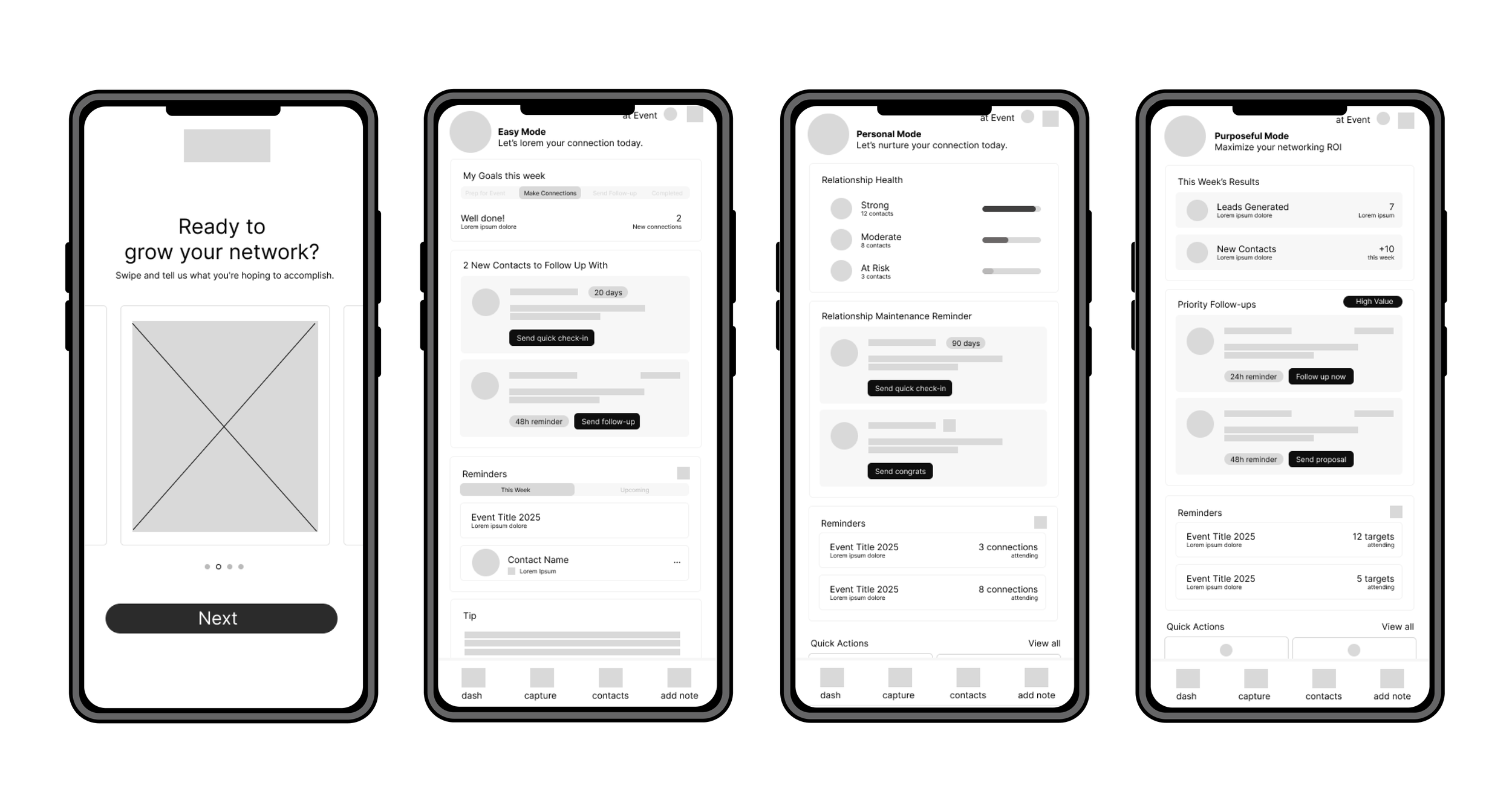
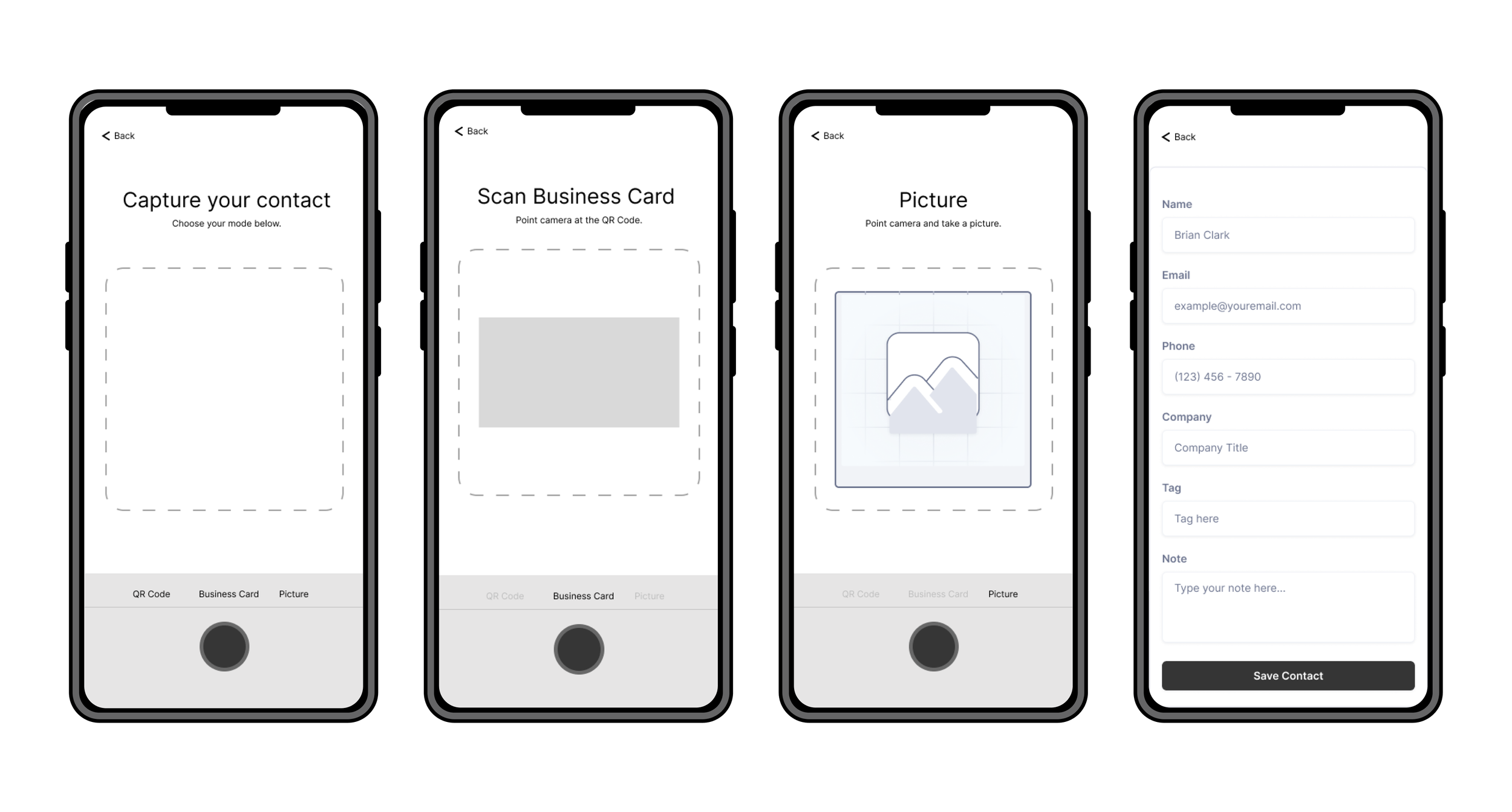
To address the challenge of making follow-ups fast, simple, and human-centered, I iterated on the existing product flows rather than reinventing them. Through sketches and flow refinements, I focused on improving how users organize contacts and initiate follow-ups, moving from low- to high-fidelity prototypes in Figma.
I collaborated on stakeholder interviews and led the design work independently, refining interaction patterns, contact organization, and follow-up behavior based on user feedback. The mobile-first design emphasizes clarity, flexibility, and ease of use, allowing users to customize organization through quick-access tags and follow-up prompts that align with how they naturally think about their connections.

Solution
HeyFollowUp acts as a networking buddy, supporting users before, during and after events.
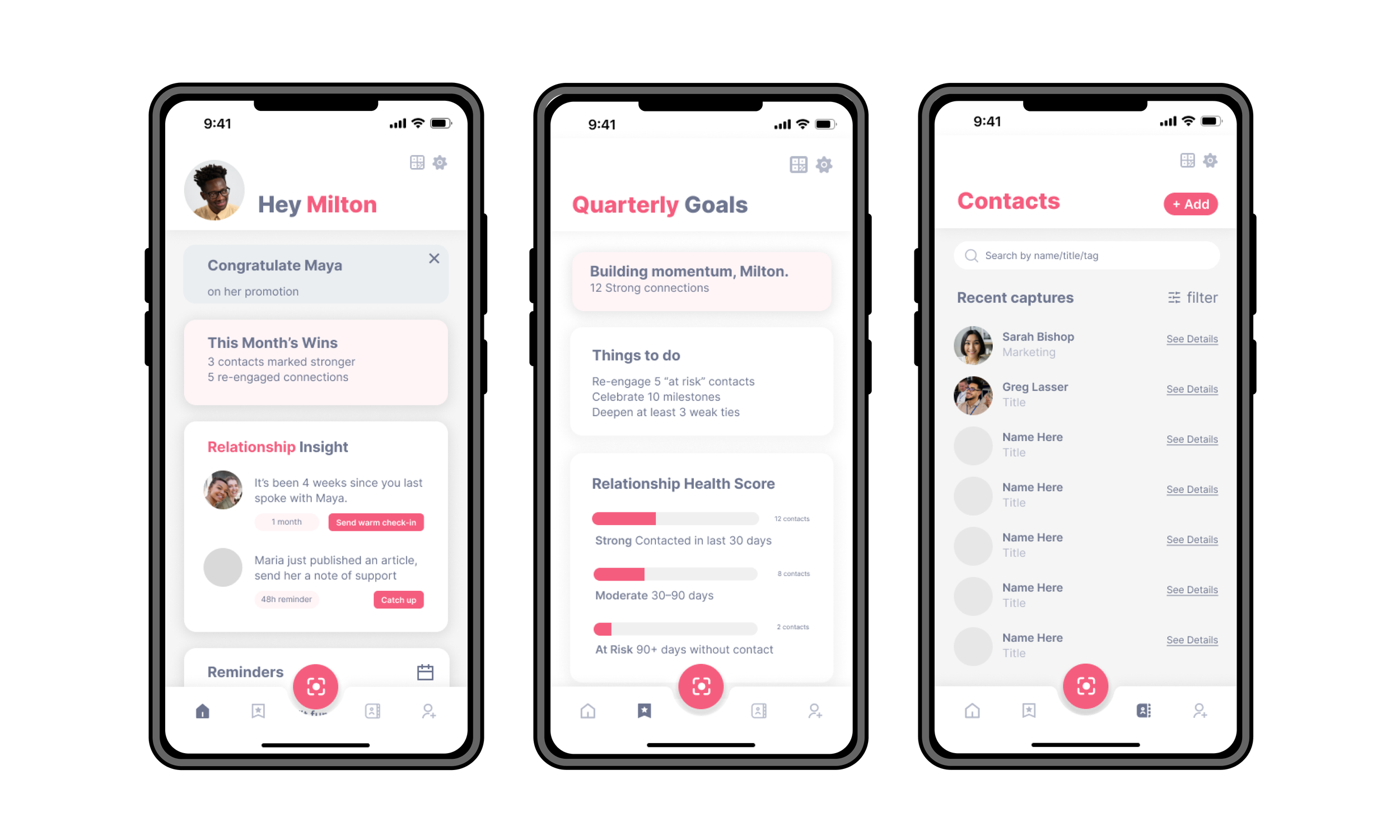
Quick capture: Notes, tags and optional selfies create contextual memory
Smart organization: Reminders surface the right connections at the right time
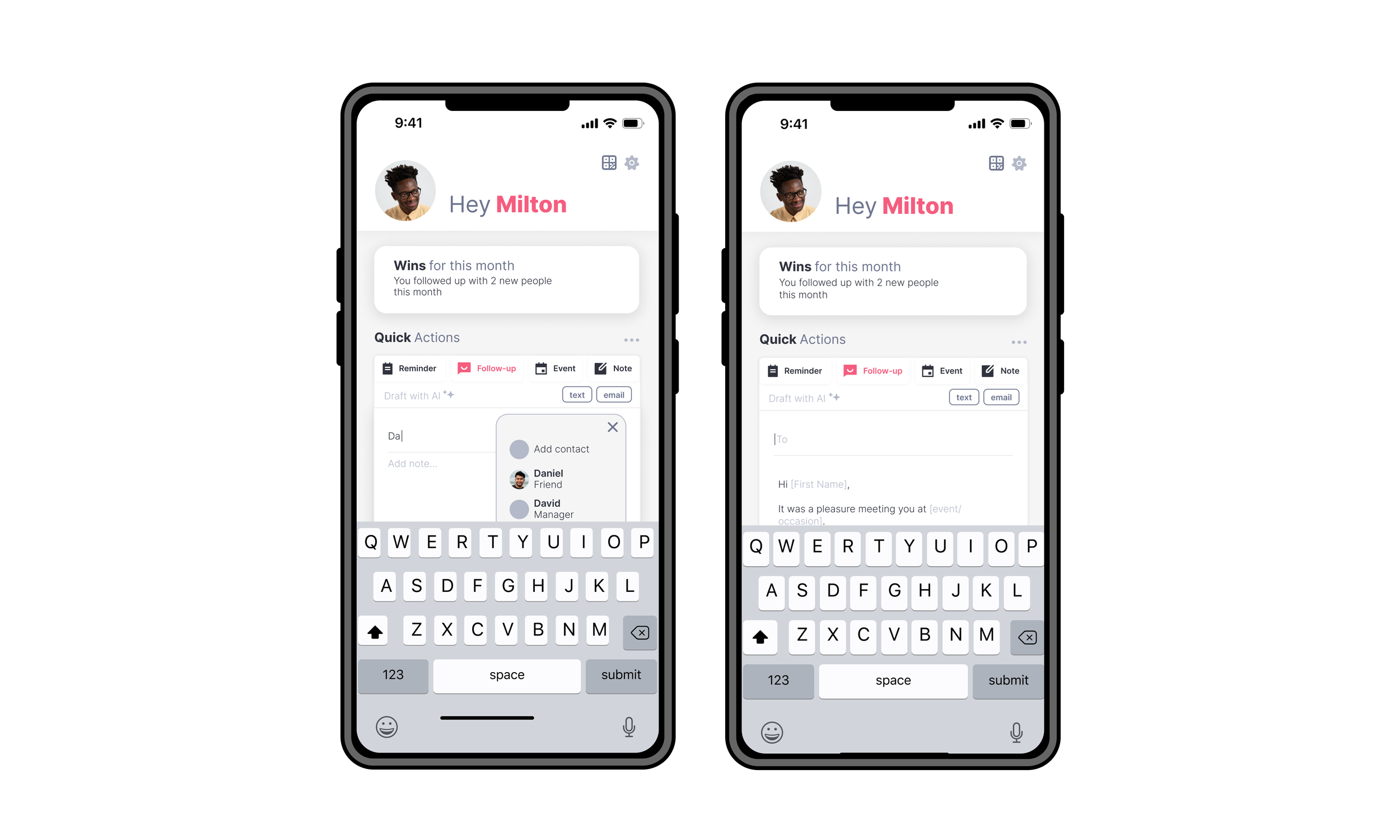
AI-assisted follow-up: Personalized templates support confident, authentic outreach
Together, these features turn brief introductions into lasting professional relationships.
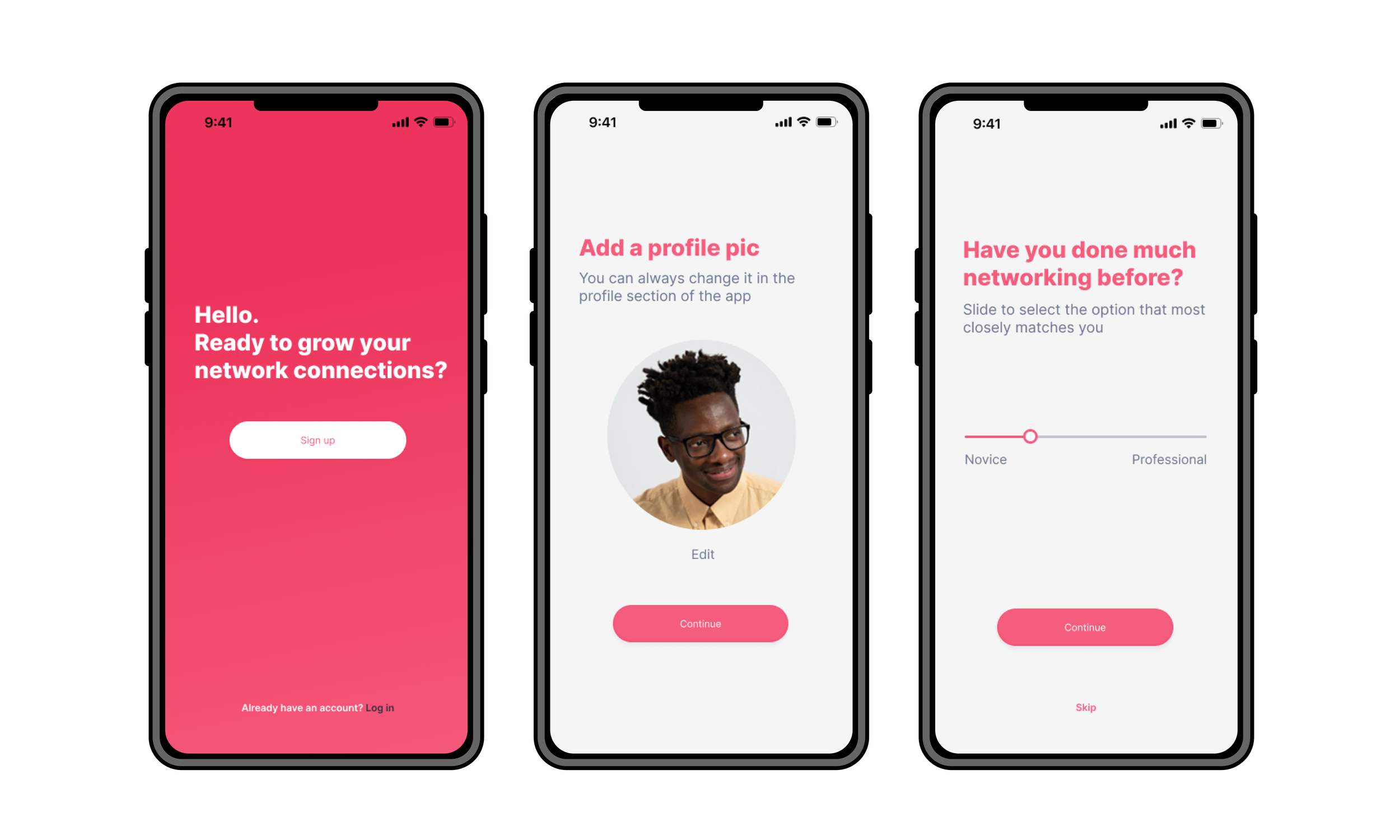
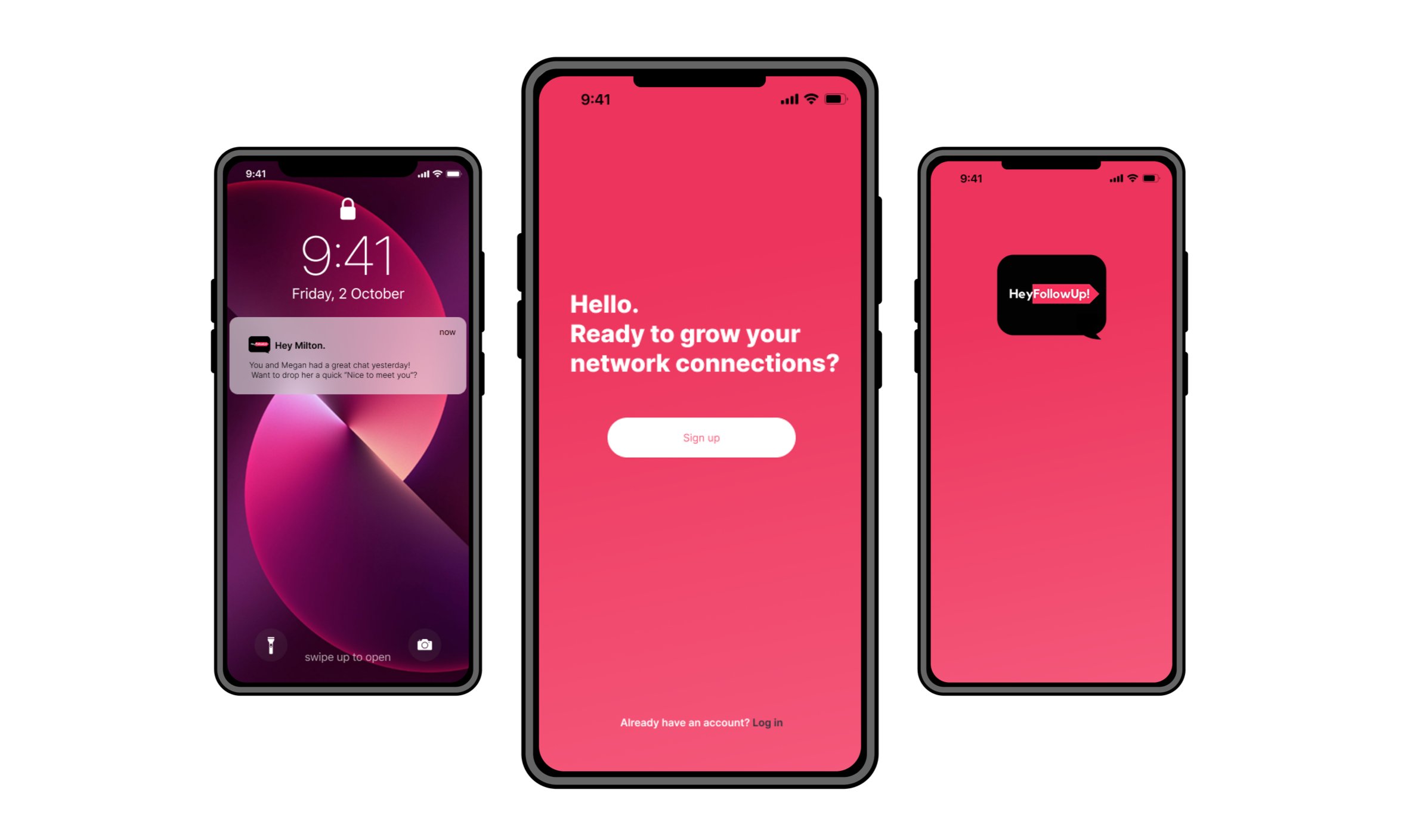
Deliver quick, personalized onboarding to demonstrate value immediately and boost retention.
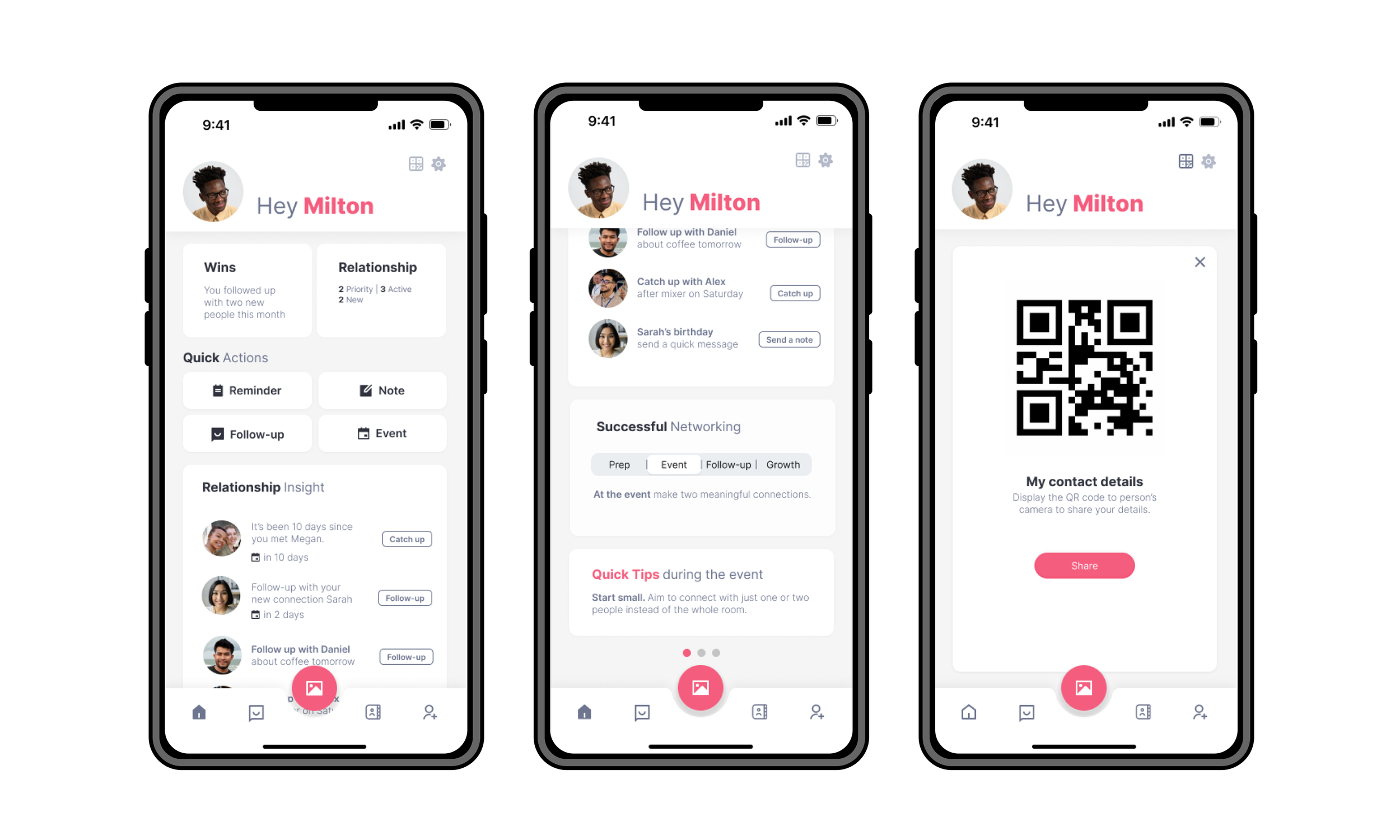
Your hub for keeping connections alive with handy tips to help when just starting out.
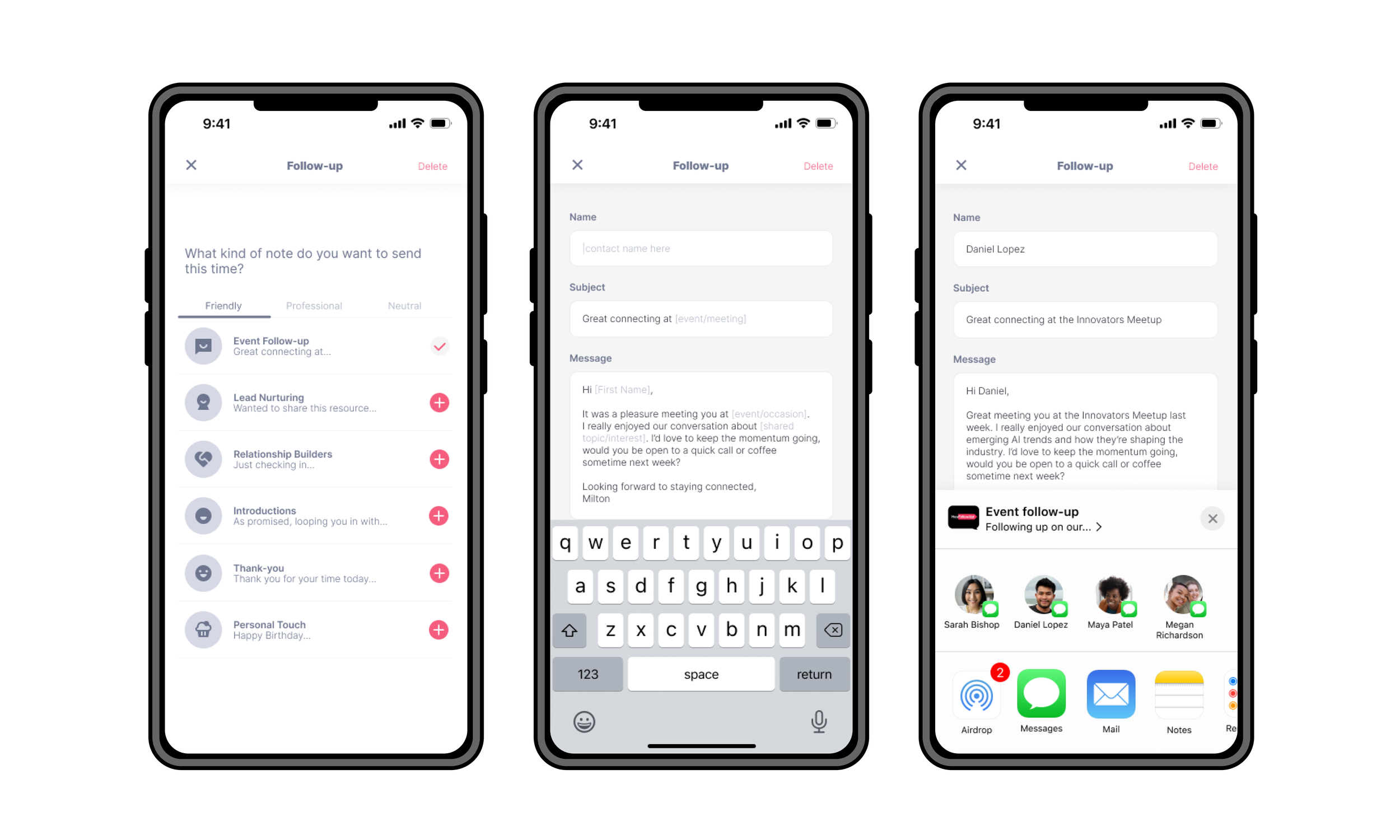
Send follow-ups that feel personal, not like a generic reminder.
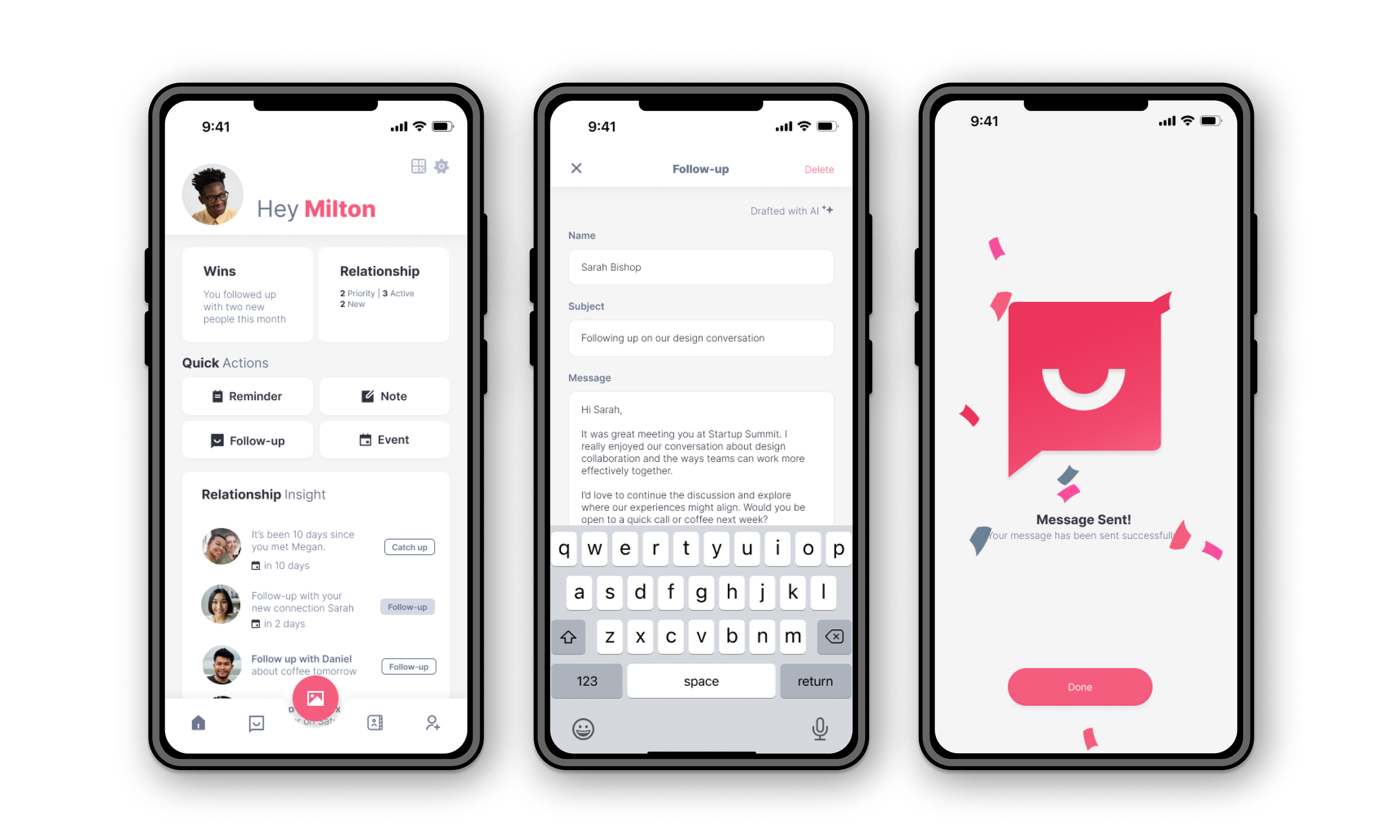
Auto-filled follow-ups that feel thoughtful, not templated.
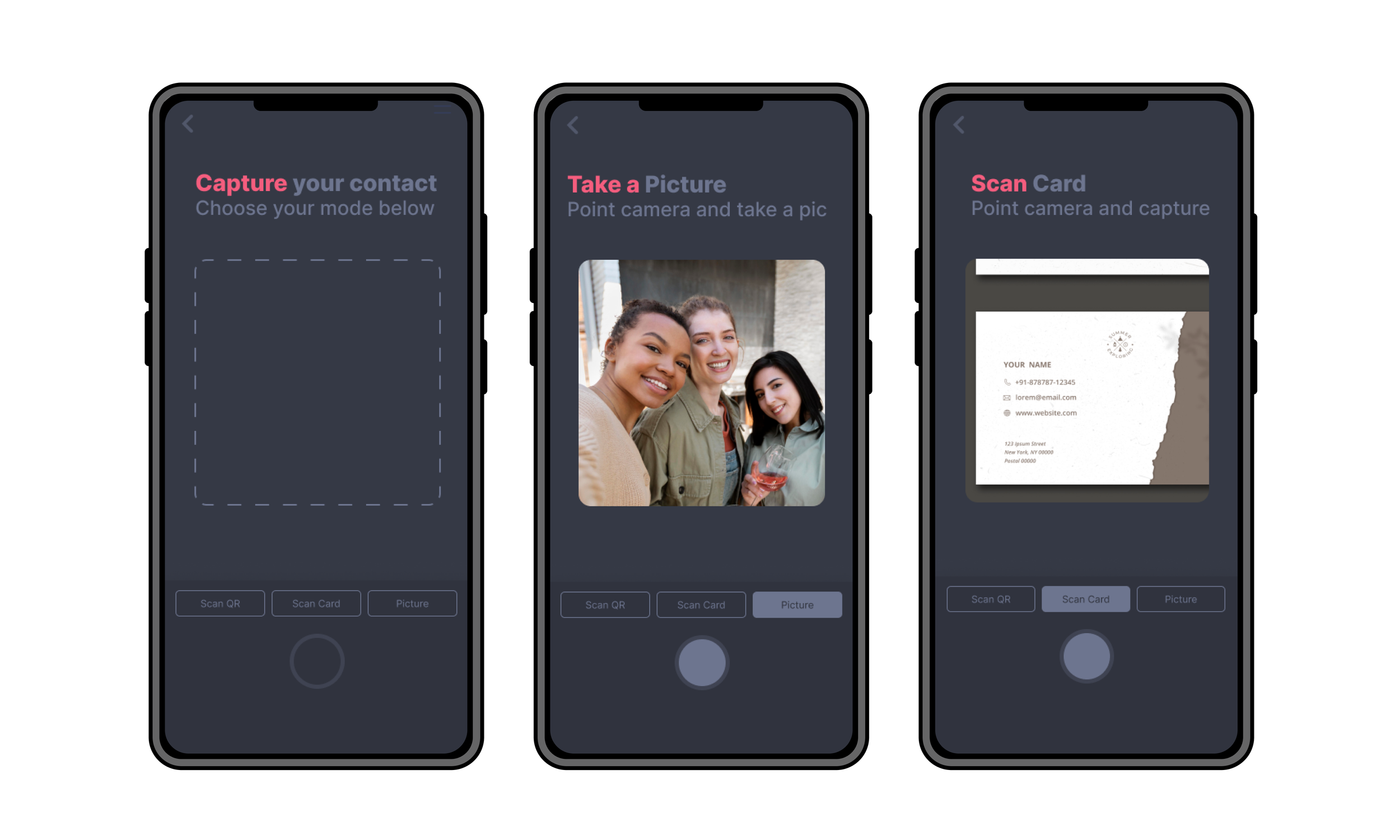
Capture info in seconds, connect now to follow up later.
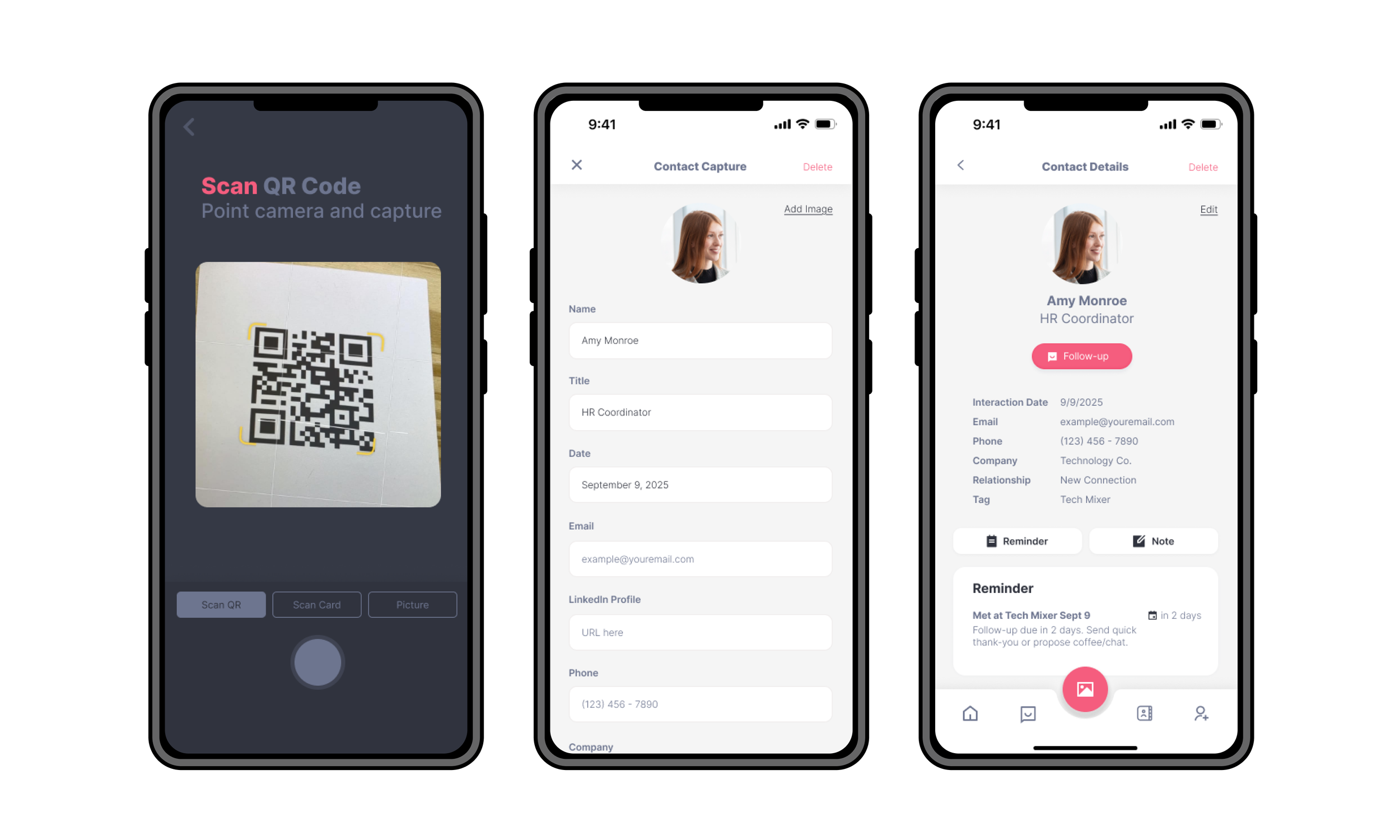
Quickly grab contact info so you can connect and go.

Easily sort and find your contacts so nothing slips through the cracks.
Validation and Reflection
Tested with 7 users, focusing on templated follow-ups. Feedback was positive:
AI-powered templates felt natural
Integration with email and SMS reduced friction
Reminders, notes, and tags kept connections active
Findings confirmed the design choices—speed, clarity, and context mattered most. The project reinforced that human-centered design plus thoughtful automation can turn fleeting networking interactions into lasting relationships.